This is the first of hopefully many posts as I work on building a cross-platform desktop GUI application using Zig. I’m probably going to open-source this at some point, but in the mean time it’s fun and interesting to write about. Hopefully I can share the details, reasoning, and things I’ve learned along the way.
These posts are going to be informal and unceremonious, and I’m not going to ask pardon for it; the goal here is to write something, and keep the updates flowing, rather than make them perfect.
Motivation + Tech Stack
I want to build something challenging, from scratch, without learning a lot of frameworks, or absorbing someone else’s abstraction. I also think there’s a certain art to writing code, because writing code is art. Not in the sense that art is never finished, and neither is code (there will always be bugs, etc) but in the sense that they’re creative acts. I wanted to work on an application that is challenging, and free from self critique.
I think of Rick Ruben who said something along the lines of (and I’m paraphrasing here) "[Each work is a diary entry. Each work is no more right or wrong, or better or worse, than a diary entry would be, because it’s reflective of the personal experience]." Other people have been more articulate in explaining this idea, but his use of a diary as the material analogy stuck with me.
The novelty of learning and doing something new is also a strong motivator here. There are a lot of GUI libraries and JS frameworks and ways to build quickly. Choosing easy, “off the shelf” options is great if your aim is to get something working quickly. But if we’re writing code to have fun and learn – we are, they’re the same thing! – maybe we should build more things ourselves.
At the same time, I’m not going to write my own shader language or build my own windowing library. I’m here to bake bread. I’m not here to plant the grain and build the mill. Store-bought flour is perfectly fine.
With that in mind, here’s the tech stack:
- Zig: I’ll be honest, I’m choosing Zig because it’s new, interesting, and challenging. So far it seems like a good choice. Lots of things are well thought out, and comptime really clicks.
- WebAssembly & Native: When targeting the web, I’ll compile to wasm32, but for other platforms, I’ll use native code, ideally all matching the same interface, so I can share a good deal of code between the platforms.
- OpenGL/WebGL: While WebGPU is on the table, as it’s gaining support and tooling, if I’m going to support all browsers, WebGL is probably the way to go. There may be some value in using WebGPU with a WebGL backend, but it could be a bear to support multiple backends and a WebGPU API. Writing straight up WebGL may be the cleanest option, so that’s what I’ll start with too.
- SDL2: Obviously when targeting wasm, I’ll be writing some custom JS and a little html, but SDL2 has good support on Linux, macOS, and Windows. I really just need a cross-platform window library that doesn’t take too much configuration, and has the basic mouse and keyboard events.
Beyond that, I’m trying to build most of this from scratch, maybe with the help of a few existing libraries. When I get down to font shaping and rendering, and building out UI elements, I imagine I’ll draw from existing open source code bases, using them as guides to implement my own libraries. But it might take a while to get there.
Application Structure
The main issue here is that there’s a lot of stuff that wasm just doesn’t have, and until WASI lands (not happening soon) I can’t work with almost any POSIX features. The best pattern to get past this is by using comptime imports of platform-specific modules that all conform the the same API. Those modules are:
- app: main entry point for application
- platform: x-platform implementations for windowing, logging, fs, clock
- glade: x-platform graphics library (OpenGL/WebGL)
- js: js sys call library
I think it may be useful to split up the platform library, but at the same time I don’t want to have to implement a web-version and a native-version of every module, and I’m already going to do that in the platform and glade modules.
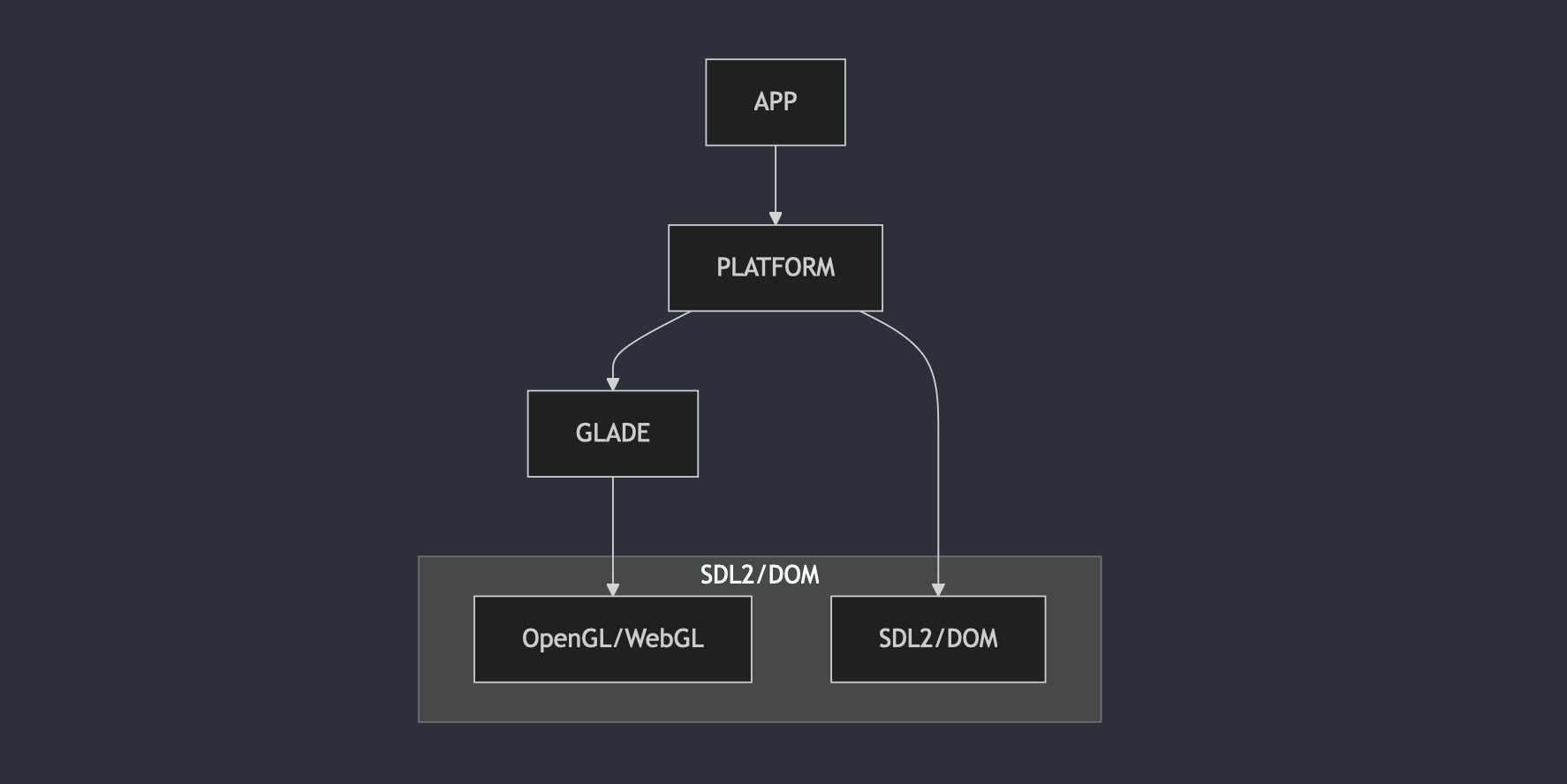
Whenever I start a project like this there’s a temptation to anticipate the module structure and ideal abstraction. But until these become more complex, it’d be a lot of overhead to, idk, split the platform module into fs, network, and so on.
Maybe this structure is too simplistic. I’m coming in with a more systems + SOA focus and background. Maybe I should be thinking in terms of memory layout and the render loop than in a module-focused relationship? Seems like an okay start. Will work on the architecture as I go.
Comptime Target-Specific Modules
I like the way that libxev uses per-platform imports, then lets Zig typecheck and include the given platform being built, only compiling what will be included. Allows for clean, namespaced code that only has the slight bother of having to maintain the implicit interface-like matching between the platform modules. (Side note: there has to be a better term for this. “Duck-typed modules”? “Quack platforming”?)
platform.zig
const builtin = @import("builtin");
const std = @import("std");

const backend = Backend.default();
const backend_name = backend.string();
const platform = backend.Api();
pub usingnamespace platform;

pub const MacosPlatform = PlatformImpl(.macos, @import("macos.zig"));
pub const WebPlatform = PlatformImpl(.web, @import("web.zig"));
pub const LinuxPlatform = PlatformImpl(.linux, @import("linux.zig"));
pub const WindowsPlatform = PlatformImpl(.windows, @import("windows.zig"));

pub const PlaceholderBackend = struct {};

pub const Backend = enum {
    linux,
    web,
    macos,
    windows,

    pub fn default() Backend {
        return @as(?Backend, switch (builtin.os.tag) {
            .linux => .io_uring,
            .macos => .macos,
            else => switch (builtin.target.cpu.arch) {
                .wasm32, .wasm64 => .web,
                else => null,
            },
        }) orelse {
            @compileLog(builtin.os);
            @compileError("no default backend for this target");
        };
    }

    pub fn Api(comptime self: Backend) type {
        return switch (self) {
            .linux => LinuxPlatform,
            .web => WebPlatform,
            .macos => MacosPlatform,
            .windows => WindowsPlatform,
        };
    }

    pub fn string(comptime self: Backend) []const u8 {
        return switch (self) {
            .linux => "linux",
            .macos => "macos",
            .windows => "windows",
            .web => "web",
        };
    }
};

pub fn PlatformImpl(comptime be: Backend, comptime T: type) type {
    return struct {
        const Self = @This();

        /// This is supplied at comptime. Up to the caller to get it right.
        pub const backend = be;
        pub const name = be.string();

        pub const Window = T.Window;
        pub const Logger = T.Logger;
    };
}
In other places where I don’t need to export multiple structs like Window, Logger, and so on,
this can be simplified.
const builtin = @import("builtin");

pub usingnamespace switch (builtin.os.tag) {
    .linux, .windows, .macos => @import("native.zig"),
    else => switch (builtin.target.cpu.arch) {
        .wasm32, .wasm64 => @import("web.zig"),
        else => {
            @compileLog(builtin.os);
            @compileError("no default backend for this target");
        },
    },
};
Neat! If I recall correctly, I should be able to write some tests for native.zig and web.zig
to check that they have the same exported types by using one of the builtins. Maybe
@hasField? Come back to this one.
At any rate, the important lines are Window and Logger. Starting with these two because the
window initialization sequence is slightly different between web and macOS, and using a common
logger is required if I want a cross-platform print function.
Let’s look at the logger because that’s the important one:
macos.zig
pub const Logger = struct {
    pub fn info(comptime format: []const u8, args: anytype) void {
        std.log.info(format, args);
    }
};
web.zig
pub const Logger = struct {
    pub fn info(comptime format: []const u8, args: anytype) void {
        const allocator = std.heap.page_allocator;
        const string = std.fmt.allocPrint(
            allocator,
            format,
            args,
        ) catch unreachable;
        defer allocator.free(string);
        const console = js.global.get(js.Object, "console") catch unreachable;
        defer console.deinit();
        _ = console.call(void, "log", .{js.string(string)}) catch unreachable;
    }
};
For the time being I’m using page alloc which is not great. Will fix that. But this is the sort of cross-platform code I’ll have to write for: mouse events, keyboard events, window events, system clocks, other logging code, fs access, http calls, and the GPU.
Which brings us to the js sys calls.
JS System Calls
No matter what graphics library I use, I’ll have to interact with JS if I’m building for web and running in wasm32. I’ll probably end up writing custom OpenGL bindings to match the native ones, which I thought would involve some amount of JS, or maybe doing emscripten-style or wasm-bind-gen-style memory reads. But it turns out github.com/mitchellh already has a library for this: zig-js. I imported it and modified it to support arbitrary JSON serialization/deserialization.
For example, while I can make calls like js.global.get(js.Object, "canvas"), what I will
ultimately need is the ability to pass complex types, like vertex arrays, through to JS.
This was as easy as adding a custom valueJSONCreate function in JS, and an accompanying
constructor on the js.Object to allow us to store arbitrary objects:
pub const Object = struct {
    value: js.Value,

    // ...
    pub fn json(value: []const u8) Object {
        const string = js.String.init(value);
        var result: u64 = undefined;
        ext.valueJSONCreate(&result, string.ptr, string.len);
        return .{
            .value = js.Value.init(string),
        };
    }

    // ..
}
and
class ZigJS {
  // ...
  valueJSONCreate(out, ptr, len) {
    if (IS_DEBUG) debug("valueJSONCreate", ...arguments);
    const str = this.loadString(ptr, len);
    const obj = JSON.parse(str);
    this.storeValue(out, obj);
  }

  // ...
}
This allows us to do stuff like:
// This is what I want to serialize to get it into JS.
const vertices: [9]f32 = [9]f32{
    -0.5, -0.5, 0.0,
    0.5,  -0.5, 0.0,
    0.0,  0.5,  0.0,
};
const vao = gl.call(js.Object, "createVertexArray", .{}) catch |e| debugErr("createVertexArray", e);
defer vao.deinit();
_ = gl.call(void, "bindVertexArray", .{vao}) catch |e| debugErr("bindVertexArray", e);
const vbo = gl.call(js.Object, "createBuffer", .{}) catch |e| debugErr("createBuffer", e);
defer vbo.deinit();
pub const ARRAY_BUFFER = 0x8892;
pub const STATIC_DRAW = 0x88E4;
_ = gl.call(void, "bindBuffer", .{ ARRAY_BUFFER, vbo }) catch |e| debugErr("bindBuffer", e);
// NOTE Ben 2024-10-19: this is not super performant, just using fixed buffer.
// TODO Ben 2024-10-19: use size + type to get length required from vertices slice?
var buf: [1000]u8 = undefined;
var fba = std.heap.FixedBufferAllocator.init(&buf);
var vertices_json = std.ArrayList(u8).init(fba.allocator());
try std.json.stringify(vertices, .{}, vertices_json.writer());
const vertices_json_string = verticesJson.items;
const vertices_object = js.Object.json(vertices_json_string);
// ^^^ vertices_object is now in JS land, should be good to use it as param:
_ = gl.call(
    void,
    "bufferData",
    .{ ARRAY_BUFFER, vertices_object, STATIC_DRAW },
) catch |e| debugErr("bufferData", e);
If I took this idea further, I suppose I could define classes in Zig as well, but to what end? Anything more than data serde, and I’m probably trying to do too much.
Hello Canvas Color
Even simpler than “hello triangle” but should show us what parts are hard to do in both native and web. For now, by “native” I mean macOS but in theory everything across linux, windows, and macOS should be generally the same. That’s part of the whole point in choosing OpenGL and SDL2.
I really just want to create a window with OpenGL/WebGL enabled, grab the context, then call
clear() and clearColor(r, g, b, a).
To start with, I need to install SDL2. There are Zig libraries
for SDL, but an easier and quicker way for now is to run
brew install sdl2 and use @cImport:
const sdl = @cImport({
    @cInclude("SDL2/SDL.h");
    @cInclude("SDL2/SDL_opengl.h");
});
I can go back later and do it properly – not ideal to depend on brew. But at the same time, when I get to a release milestone, I’ll have to run the macos build process on a mac, which will likely require Brew. Something to solve for later.
As for the rest of the app, these three resources were useful as guides:
- Gist based on zig-gamedev’s repo for game development Zig code.
- Learn OpenGL’s “hello triangle” example
- zero-graphics: application framework based on OpenGL ES 2.0
On the wasm side it was a little simpler, or at least more in my wheelhouse. Just a basic index.html
with a canvas, loading our compiled .wasm file, and defining an env with clear and clearColor
bound to a global context.
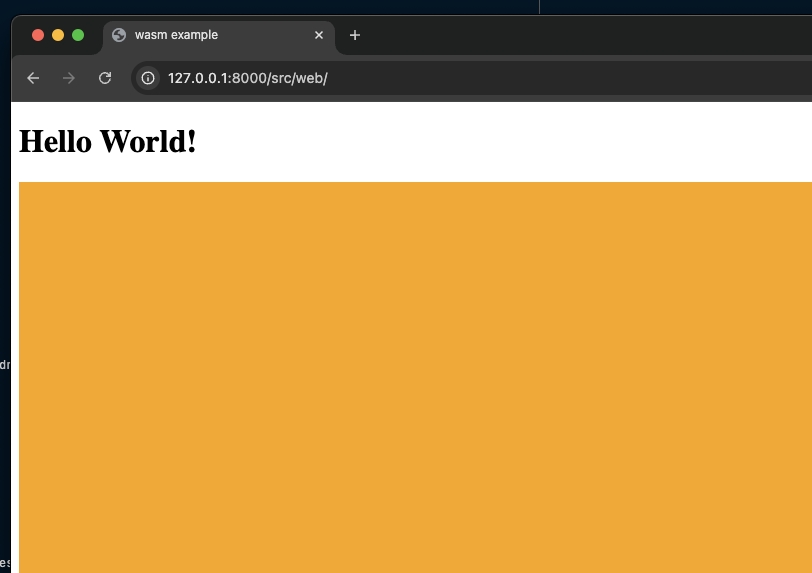
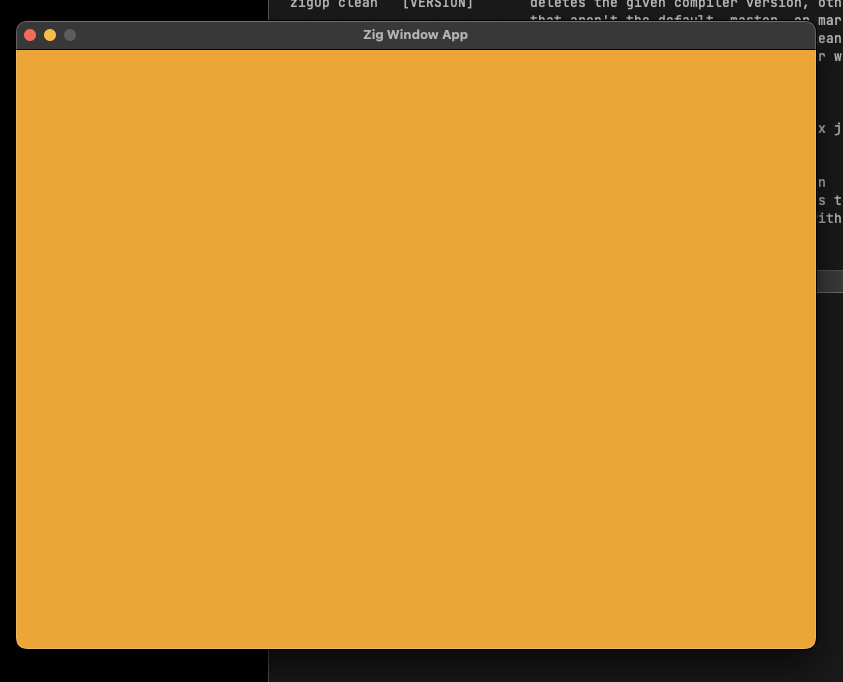
Still room for improvement here. Some things to fix up:
- Defining
clearandclearColor(and in the future all the rest of the WebGL context methods) in the globalenvnamespace is not great. This is what the js-sys calls are for. - When I get to creating and manipulating buffers, is there a way I can use code generation based on the OpenGL registry? Would be nice to not to have to write any platform specific stuff, since all externs should be the same, right? Right now I’m just using copied-over generated bindings from the zero-graphic repo, but that doesn’t seem like a particularly sustainable way to maintain GL bindings.
- The flow for working in web and native at the same time is not great. I’m building based on
target flags, so I run the macOS binary directly, but for the web build I have to serve our html
and load up
http://localhost:8000/src/web/. Worth thinking about making the web build of the app just start an http server and automatically open the browser link.
End up with something like this for JS:
import { ZigJS } from "../js/bind.js";

/// Simple debounce function for testing.
function debounce(func, wait) {
  var timeout;
  return function () {
    const context = this;
    const args = arguments;
    clearTimeout(timeout);
    timeout = setTimeout(function () {
      timeout = null;
      func.apply(context, args);
    }, wait);
    if (!timeout) {
      func.apply(context, args);
    }
  };
}

const canvas = document.getElementById("canvas");
function resize() {
  canvas.width = window.innerWidth;
  canvas.height = window.innerHeight;
}
resize();
window.addEventListener("resize", debounce(resize, 100), false);

const importObject = {
  module: {},
  env: {},
  ...ZigJS.self.importObject(),
};

fetch("/zig-out/core.web.wasm")
  .then((response) => response.arrayBuffer())
  .then((bytes) => WebAssembly.instantiate(bytes, importObject))
  .then((results) => {
    ZigJS.self.memory = results.instance.exports.memory;
    ZigJS.self.getExports(results.instance.exports);
    results.instance.exports.root();
    window.addEventListener(
      "resize",
      debounce(() => {
        setTimeout(() => results.instance.exports.root(), 0);
      }, 100),
      false,
    );
  });
But the native Zig is simpler:
const gl_context = sdl.SDL_GL_CreateContext(window);
if (gl_context == null) {
    std.log.info("unable to create OpenGL context: {s}", .{sdl.SDL_GetError()});
    return Error.GLInitError;
}
_ = sdl.SDL_GL_MakeCurrent(window, gl_context);
try glade.load({}, loadOpenGlFunction, std.debug.print);
var w: i32 = 600;
var h: i32 = 800;
_ = sdl.SDL_GL_GetDrawableSize(window, &w, &h);
glade.viewport(0, 0, h, w);
So then our rendering is simple.
glade.clearColor(0.96, 0.64, 0.11, 1.0);
glade.clear(glade.COLOR_BUFFER_BIT);
A Diversion Into Generated Code
By copying over OpenGL ES 2.0 bindings from zero-graphics I was able to get almost the exact functions that I need to call across the wasm-JS boundary. But I really didn’t want to have to re-write hundreds of functions for JS invocation. The bindings were generated from the OpenGL registry’s gl.xml file.
I initially thought I’d be able to add the registry as a submodule, then just parse the xml (github.com/ianprime0509/zig-xml works pretty well), select the ES 2.0 and 3.0 bindings to get the WebGL 1.0 and 2.0 commands and enums that I need. After trying this, however, there’s a bit more work to this than meets the eye.
For starters, parts of the gl.xml spec use text to indicate return types. I can check these as one-offs though. But there are also commands that are omitted from the WebGL spec, or altered. Once I add these one-offs, I’m writing a fair amount of code just to generate bindings for a spec that is not gonna change.
Generated code still seemed like a good idea, I just want it in a better format. Getting that better format is a manual thing. I decided to convert the XML to JSON, then slice it up with JQ to get the commands and enums in a workable format. Again, manual, but the spec isn’t gonna change. Then I manually edited commands and enums, added some notes, and was able to generate native bindings which worked alright.
What I like about this approach is that it’s not too strict. Parsing the full OpenGL XML, then trying to convert everything, and respect the raw-text of the C types was a bit much. JSON is way pragmatic – I’ll be the only one using this, and I’m really just trying to avoid having to write a bunch of raw JS sys calls and C sys calls individually.
But the downside of this approach is it’s very manual. If I want to convert this to use a different backend later on, I’ll have to pull a lot of this apart. Is there an intermediate graphics layer I should be targeting here? WebGPU runs all the GLs through to a bound backend, so you can have WebGPU on OpenGL or even WebGL (I think?) if you really want. Would something like that be useful here? Hard to tell. I’m aiming for something like github.com/grovesNL/glow so that I don’t need to think too much about the graphics layer once it’s there and I’m focusing on UI elements: I just want to be able to utilize existing OpenGL/WebGL examples from around the web.
But when I went to work with the JS sys calls, again, I was finding there are enough differences between WebGL and the OpenGL versions that I was spending too much time trying to augment the JSON with my own interpretation of the spec.
At this point it seemed like I can just start with the native bindings that I copied in, duplicate them for web, and do some combination of find-and-replace, regular-expression-surgery, and manual editing. It’s working well so far.
I definitely see the value of code generating GL bindings, like in projects such as phosphorus, and gl_generator, but I’m targeting a GL that’s pretty mature, and isn’t changing. Dawn on the other hand, has really good reasons for doing what they’re doing with using JSON definitions for commands; the spec is changing, and and re-writing headers by hand is painful.
So far my manually edited bindings is working fine. I just edit them as I go.
Thoughts On Zig
A good language and a kind community.
That’s all.