tl;dr → Compile JS and CSS assets into a single .html file that can save itself, and you’ve got yourself a little portable application.
Small tools
I like writing little tools. Tools to help me do my job, tools to remember things, tools to track things, record things, update things, send reminders, send emails, save files.
Apple’s Shortcuts app is really good for this. Or at least some of these things. But they don’t plug it into any of the real useful parts of iOS. Can I create an entry in the “Share Sheet” to automatically email an article I’m reading to myself? Yes. Can I create an app to toggle notifications for one app and one app only? No. There’s room for improvement there.
For a lot of my other little tasks I end up writing bash scripts, or Makefiles. Or using Go or Javascript as a scripting language. For example, I’ve got a little javascript file that converts images to a nice format and title before adding them to this website.
But there’s still a long list of little tools that I want to build that require interactivity. Excel is fine for this sort of thing, but data entry is a huge pain. Airtable is a bit better, as it’s not a nightmare to use the form-building feature. But they end up lacking. If I had more time, I’d write a little web app in JS or React or something and put it behind an OAuth2 proxy inside Vercel, or Cloudflare, or Netlify – they’re basically the same for this.
But that’s a weird amount of scaffolding just to my little tool private.
Then there’s the storage issues around building a little JS app. Let’s say for instance, I just want to track the number of birds I see when I’m walking around my neighborhood. I really just wanna click a counter or enter a number, and keep a running total, and then maybe enter the type of bird. I can do this in the iOS notes app but I don’t really want to sum the entries myself. So I want to build a small JS app that runs in Safari on my phone and computer, stores some small state, and does something a little programmatic. So, what, if I use a serverless product then I end up writing a little JS for the frontend, and some runtime-specific JS for the cloud function to store it. That doesn’t seem too hard. But it also strikes me as a little off. Not everything has to be a web app, or served from the cloud. And when I want to build something more complex, then I have to consider all of the little pain points of that serverless model.
What I really want, is a simple way to write a small webpage that just exists on
my device, and can save itself when I hit Cmd + S. Is that too much to ask? Well, it turns out, no. Works like this.
Proof of concept
- Build inlined JS, CSS, and HTML into single .html file.
- Write all data to the document.
- Use
window.showSaveFilePickeror href-download to save copy of itself.
Here’s the proof of concept HTML.
<!doctype html>
<html lang="en">
  <head>
    <meta charset="utf-8" />
    <meta
      content="width=device-width, initial-scale=1, shrink-to-fit=no"
      name="viewport"
    />
    <title>sfa demo</title>
    <script>
      function ready(fn) {
        if (document.readyState !== "loading") {
          fn();
        } else {
          document.addEventListener("DOMContentLoaded", fn);
        }
      }
    </script>
  </head>

  <body>
    <div id="root">
      <h1>testing sfa</h1>
      <p>click the button</p>
      <button id="button">click me</button>
      <pre id="render-data"></pre>
      <p>
        <button id="save-as">Save...</button>
      </p>
    </div>
    <script>
      function getDocHtml() {
        const raw = document.documentElement.outerHTML;
        return "<!DOCTYPE html>\n" + raw;
      }

      async function saveAs() {
        const blob = new Blob([getDocHtml()], {
          type: "application/xml;charset=utf-8",
        });
        if (window.showSaveFilePicker) {
          const newHandle = await window.showSaveFilePicker({
            suggestedName: `version-${window.DATA.version}.html`,
          });
          const writableStream = await newHandle.createWritable();
          await writableStream.write(blob);
          await writableStream.close();
        } else {
          const a = document.createElementNS(
            "http://www.w3.org/1999/xhtml",
            "a",
          );
          a.download = `version-${window.DATA.version}.html`;
          a.rel = "noopener";
          a.href = URL.createObjectURL(blob);
          setTimeout(() => {
            URL.revokeObjectURL(a.href);
          }, 60_000);
          setTimeout(() => {
            a.dispatchEvent(new MouseEvent("click"));
          }, 0);
        }
      }

      ready(() => {
        document.getElementById("button").addEventListener("click", () => {
          window.DATA = {
            version: window.DATA.version + 1,
            value: Math.random(),
          };
          const d = document.getElementById("data-block");
          const json = JSON.stringify(window.DATA);
          d.innerHTML = `window.DATA = ${json}`;
          render();
        });

        document
          .getElementById("save-as")
          .addEventListener("click", async () => saveAs());

        render();
      });

      function render() {
        const preData = document.getElementById("render-data");
        preData.innerHTML = JSON.stringify(window.DATA, null, "  ");
      }
    </script>
    <script id="data-block">
      window.DATA = {
        version: 1,
        value: 100,
      };
    </script>
  </body>
</html>
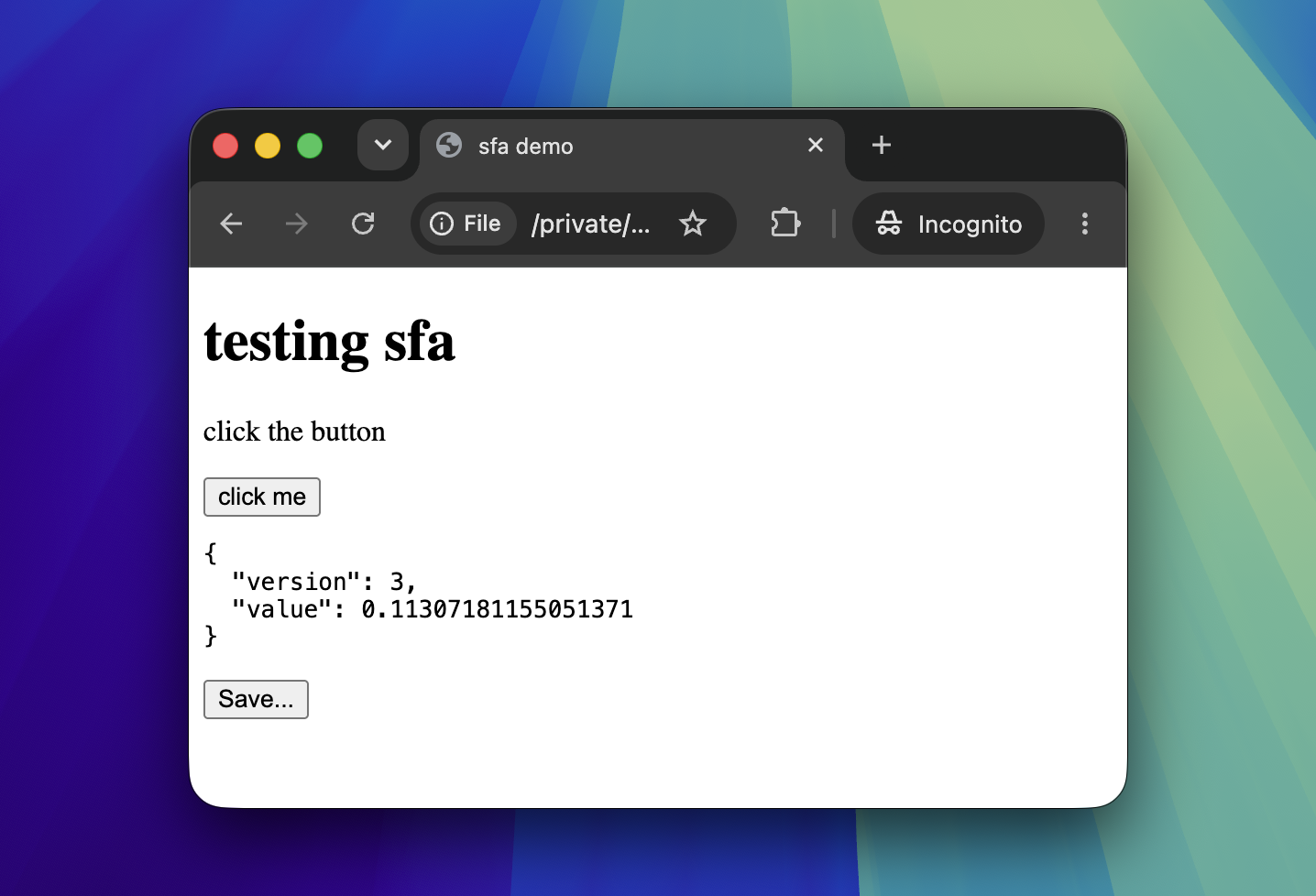
Admittedly, the lack of permissions for a file served off of file:// could make it hard to do what you want. But the basics are there for little tools.